
How to set root password for your VPS
Setting a root password comes with risks, hence if it’s possible you should try to avoid it.
If you only need to gain a temporary command line root access this can be achieved with the command, sudo -i
Setting a password for root
Login with the credentials that you received via mail after the VPS set up.
After logging in, type
sudo passwd
Type your new password for root
Retype your new password for root
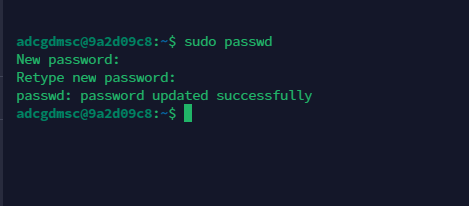
We recommend you to set the strong password for root.
Now you can login with root user with the password you’ve set up.
You can check which user you are using with
whoami

